
Radar
Review cards selected by market observations and continue on their player pages.
What Radar shows
Radar collects cards retained by market observation checks. Criteria include fresh prices and sales, recent sales activity and consistency of the observed movement. Rejected, unavailable or recently negative checks are excluded from the displayed selection.
Read a Radar card
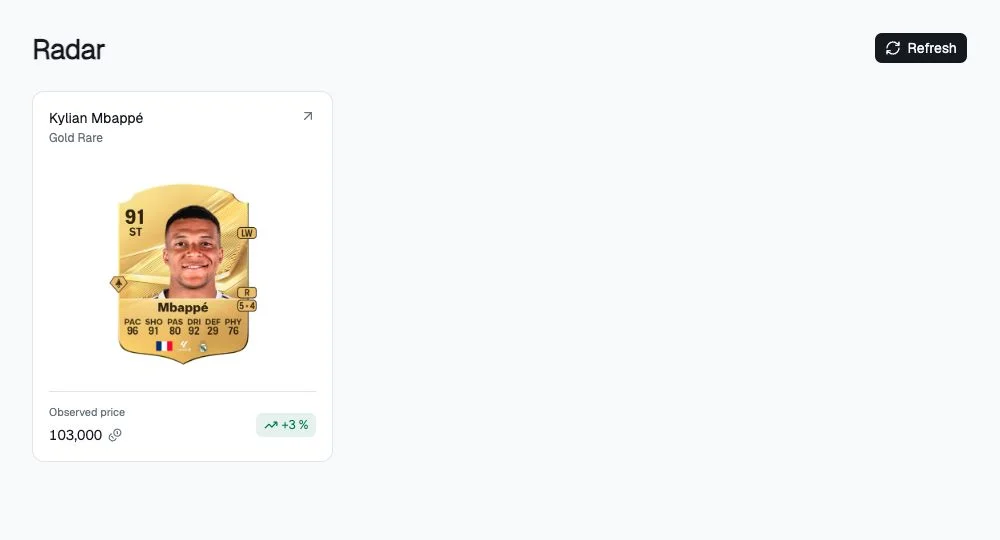
Cards show the player name, version when available, artwork, Observed price and observed rise. Click to open the player page. These are observations; the market may have moved by the time you open the page, so check its latest data and timestamps.
Investigate before tracking
- Open the Radar card.
- Verify market and version on its player page.
- Examine price, history and available sales.
- Use a simulated purchase to test a scenario.
- If you actually own the cards, record the price paid with Invest.
Radar creates neither purchases nor personal alerts automatically. Configure Discord alerts separately on your position.
Refresh
Select Refresh and wait. The page also refreshes while active and when returning to the foreground.
Empty and unavailable states
No cards with potential right now means no card in the available report passes the display criteria. It is not an error or proof that the entire market has no opportunities.
Cards unavailable means no usable report is available; select Try again. After a failed refresh, previous cards may remain with an explanatory message; treat them as an older selection.