
Getting started
Install FutCall, activate access, track a card and create your first alert.
You need an email address you can access and a Discord account to obtain your free licence.
1. Install and open FutCall
Download the correct installer from the website download area. Open the installed application: the website provides product information, downloads and this documentation; the portfolio is in the software.
2. Create and confirm your account
Choose Create an account, enter your email and a password of at least 12 characters, then confirm the password. Open the confirmation email or enter its latest code in Verify your email. See Account and sign-in for Discord sign-in and password recovery.
3. Complete setup and activate your licence
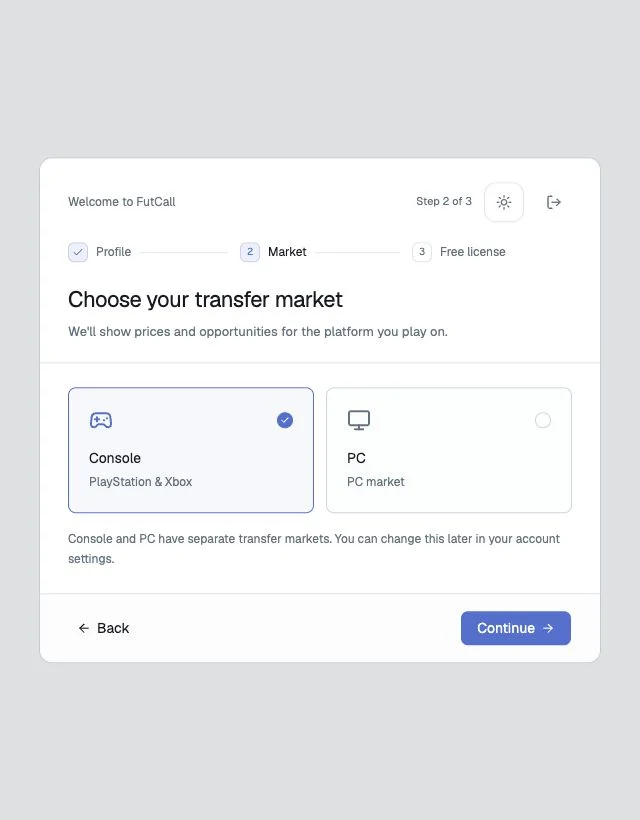
- Choose a username and club.
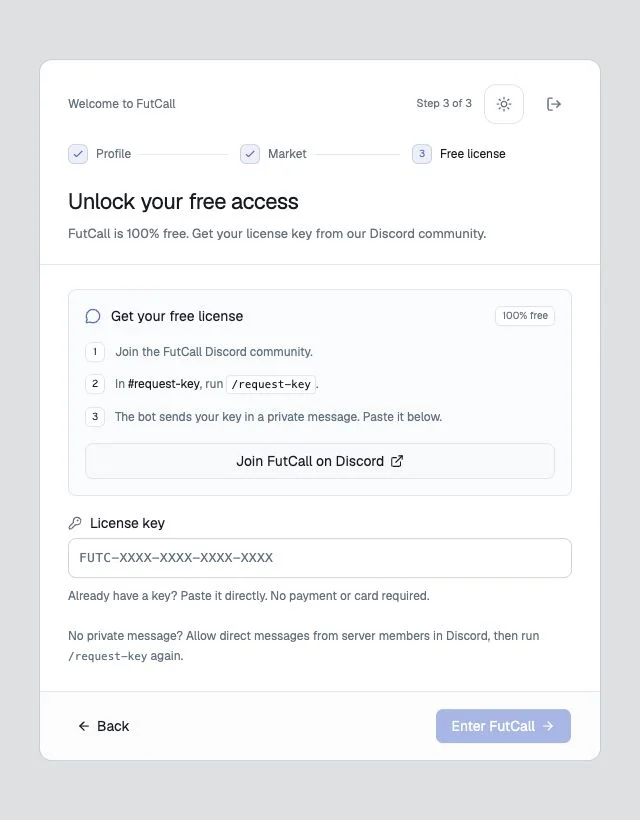
- Select Console for PlayStation/Xbox or PC.
- Open the Discord community from Free license.
- Run
/request-keyin#request-keyand read the bot’s direct message. - Paste the key into License key and select Enter FutCall.
4. Open a player page
In Players, search by name and select the exact card version. Check the market, rarity and price. The player page contains the price chart, recent sales and available auctions.
5. Record a purchase
Select Invest → My purchase price and enter the actual unit price, quantity and purchase date. Leave Fake investment off for a real purchase. Review the total before Save purchase. To practise without recording real holdings, use a simulated purchase.
6. Track the position and create an alert
Find the position in Portfolio. Its potential profit already deducts the sales tax. Set Notifications during purchase or use the available Alerts button on a position. A % PAT threshold of 15 means an after-tax return of at least 15%.
Alerts are checked every fifteen minutes and never sell cards for you. After actually selling in the game, use Record sale to record the outcome.